
How we built Oak Tree Surgery's “Find the Right Care” page
One page that helps patients find the right service first time, before they pick up the phone.
Most patients who phone their GP practice at 8am aren't calling because they want to. They're calling because they can't tell, from the website, where their request should go. Is a fit note a form or a phone call? Can I see a physio without seeing a GP first? Is this urgent enough for today?
At Oak Tree Surgery in Bridgend, we built a single page to answer that question for them: Find the Right Care. Here's how it works, and why each part is there.
1. Search in patients' own words
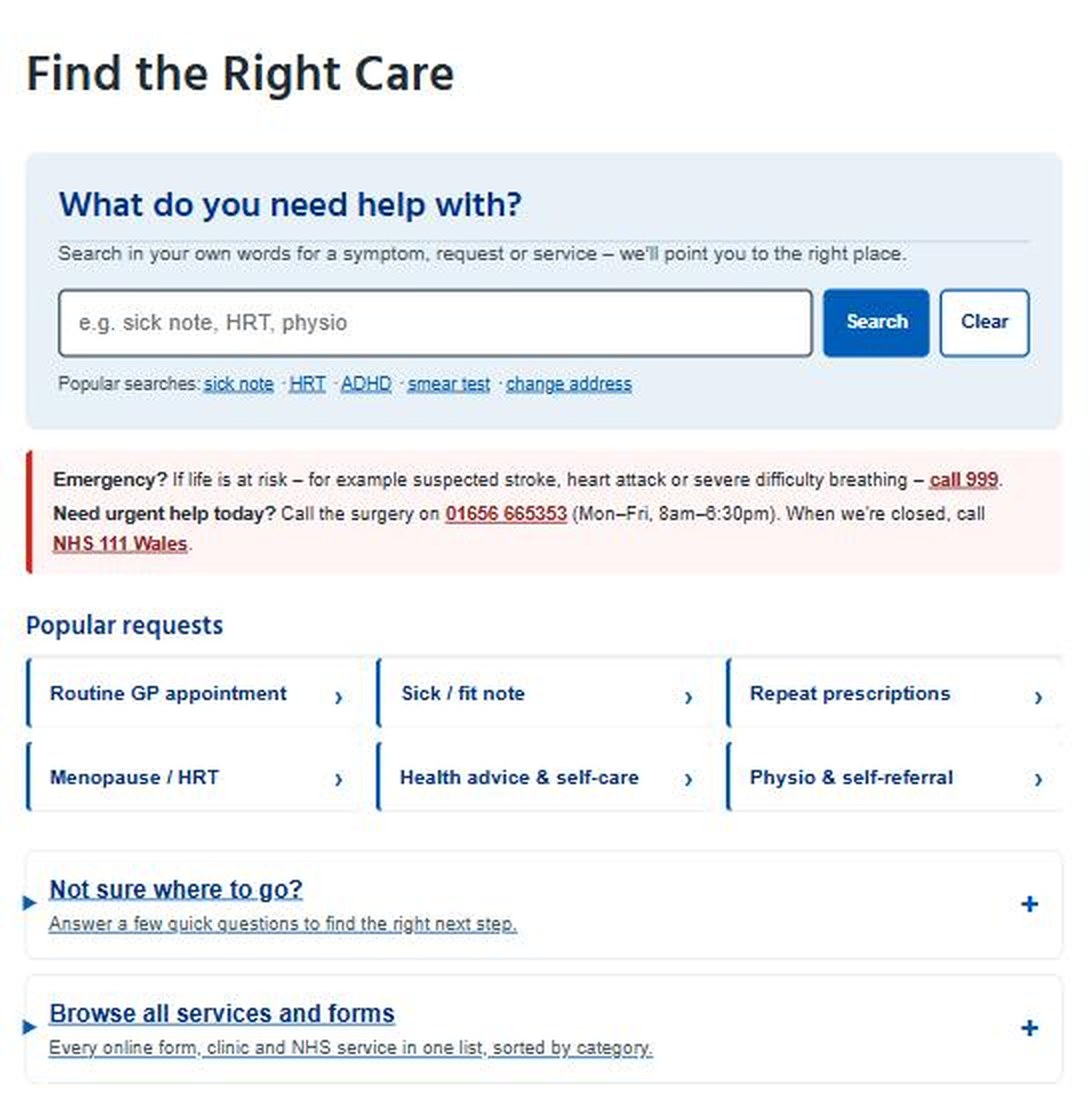
The page opens with one question: What do you need help with? Patients type whatever they'd say to a receptionist, and the page points them to the right place. Below the box sit the searches people make most often: sick note, HRT, ADHD, smear test and change of address.
The search understands everyday language, not just form titles. For example:
| A patient types… | The page offers… |
|---|---|
| bad back | Physio and self-referral services |
| sick note | Asks which type you need: a new fit note, or a continuation |
| travel jabs | Travel vaccinations with the practice nurse, plus NHS and Government travel advice |
| chest pain | Safety information first, before anything else |
2. Safety comes first, every time
Before any shortcut or form, a short red panel tells patients to call 999 if life is at risk, gives the surgery's number for urgent help today, and points to NHS 111 Wales when the practice is closed. If someone searches for a symptom that could be an emergency, the page shows safety information before any other option.
The page also makes clear that online forms aren't for emergencies, and that it doesn't collect any clinical information itself. Forms open on the practice's own website.
3. The six requests most people need
Most visits are for the same handful of things, so the most common requests sit in large tiles near the top: a routine GP appointment, a sick or fit note, repeat prescriptions, menopause and HRT, health advice and self-care, and physio self-referral.
4. Not sure? Answer two quick questions
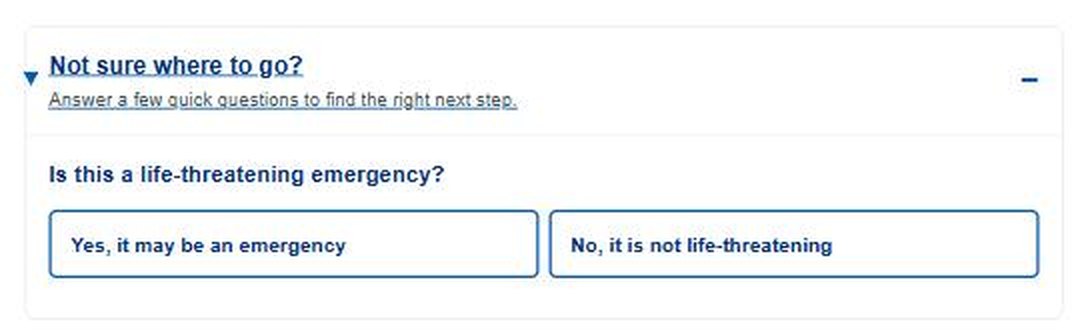
For patients who don't know what to search for, a short guided route asks first whether it's a life-threatening emergency, then what best describes what they need. There are ten clear choices, including medical help today, a routine appointment, medication, a form or admin request, a back or joint problem, mental health, pregnancy and child health, a common minor illness, and being too ill to leave home. Each one leads to the right options.
5. Every service in one place
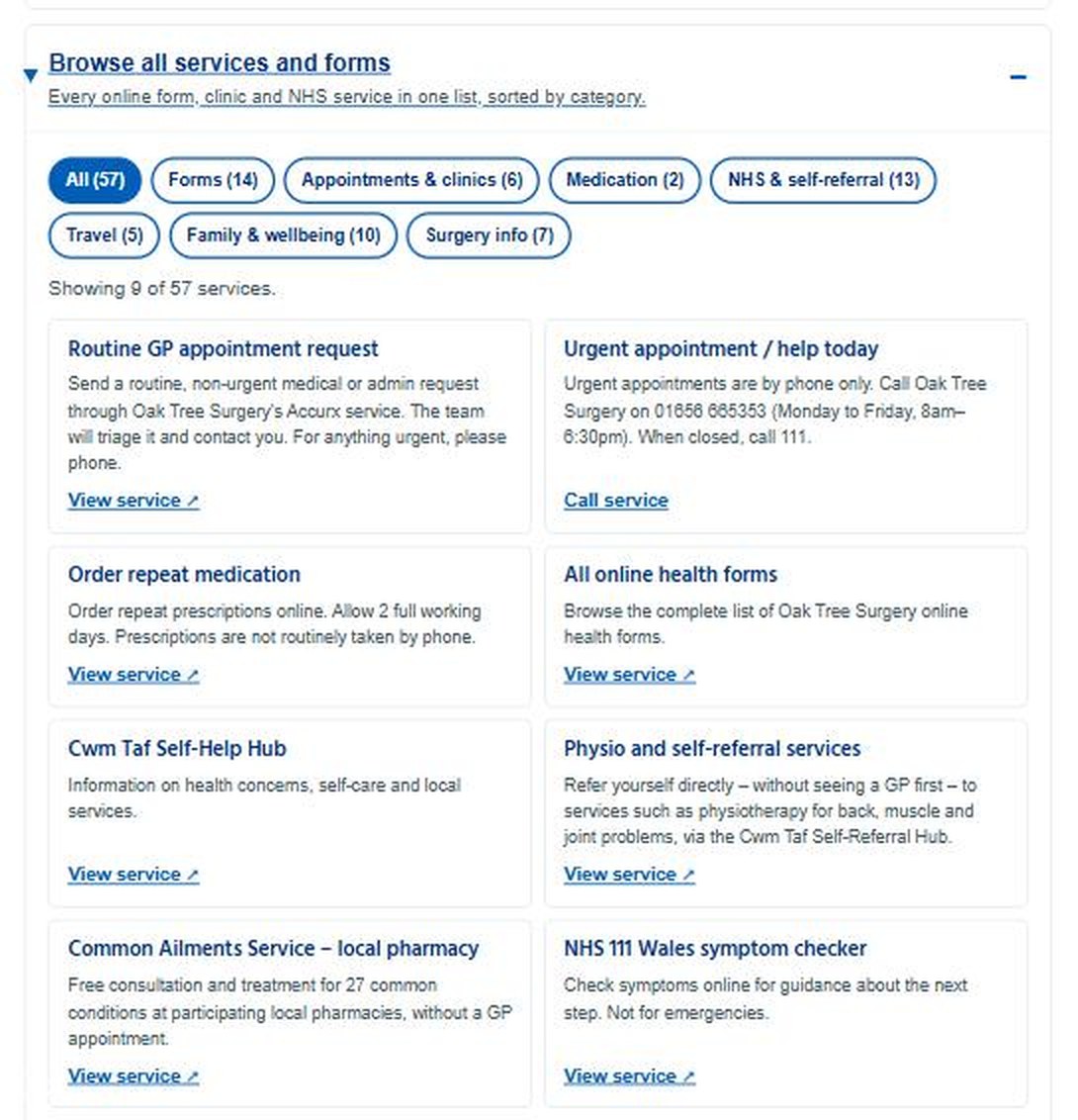
Finally, a full directory lists all 57 forms, clinics and NHS services, sorted into categories patients can filter: forms, appointments and clinics, medication, NHS and self-referral, travel, family and wellbeing, and surgery information. Each card says in a sentence what the service is for, and whether it's the right route.
Built around how the practice already works
Routine requests go through the practice's existing online consultation service, Accurx. We didn't ask the practice to change suppliers: the page simply points patients to the right door. It also signposts local NHS Wales services patients often don't know about, including the Common Ailments Service at local pharmacies, the Cwm Taf self-help and self-referral hubs, and the NHS 111 Wales symptom checker.
Small details that matter
- Large tap targets and clear focus outlines for keyboard users
- A text number for patients who are deaf or hard of hearing
- A gentle nudge to call after 10am for non-urgent queries, to keep the morning lines free
- Designed for phones first, where most patients will use it
Want a page like this for your practice?
We can build a care navigation page around your services, forms and local pathways, on any Primary Care Online website.
Get in touch